MesoLive Paper
MesoLive paper trading accounts live in MesoLive itself. They need no brokerage login of their own: MesoLive fills each order at the prices you enter, and prices the positions with the quotes of a connected brokerage.
Use a paper account to:
- try a strategy and the MesoLive workflow without risk,
- track trades you place by hand at a brokerage MesoLive does not connect to, for example Schwab / Thinkorswim.
Prerequisites
- A MesoLive Agent connected to at least one brokerage: Interactive Brokers, TastyTrade or Tradier. The paper account takes its quotes from that connection.
Create a paper account
- In MesoLive open More › Paper trading.
- Click Create paper account.
- Set the Starting Balance (USD), the Commission per Contract (USD) and the Data Provider. The data provider list shows only the brokerages your agents connect now.
- Click Create Paper Account. MesoLive names the account (for example
MP001).
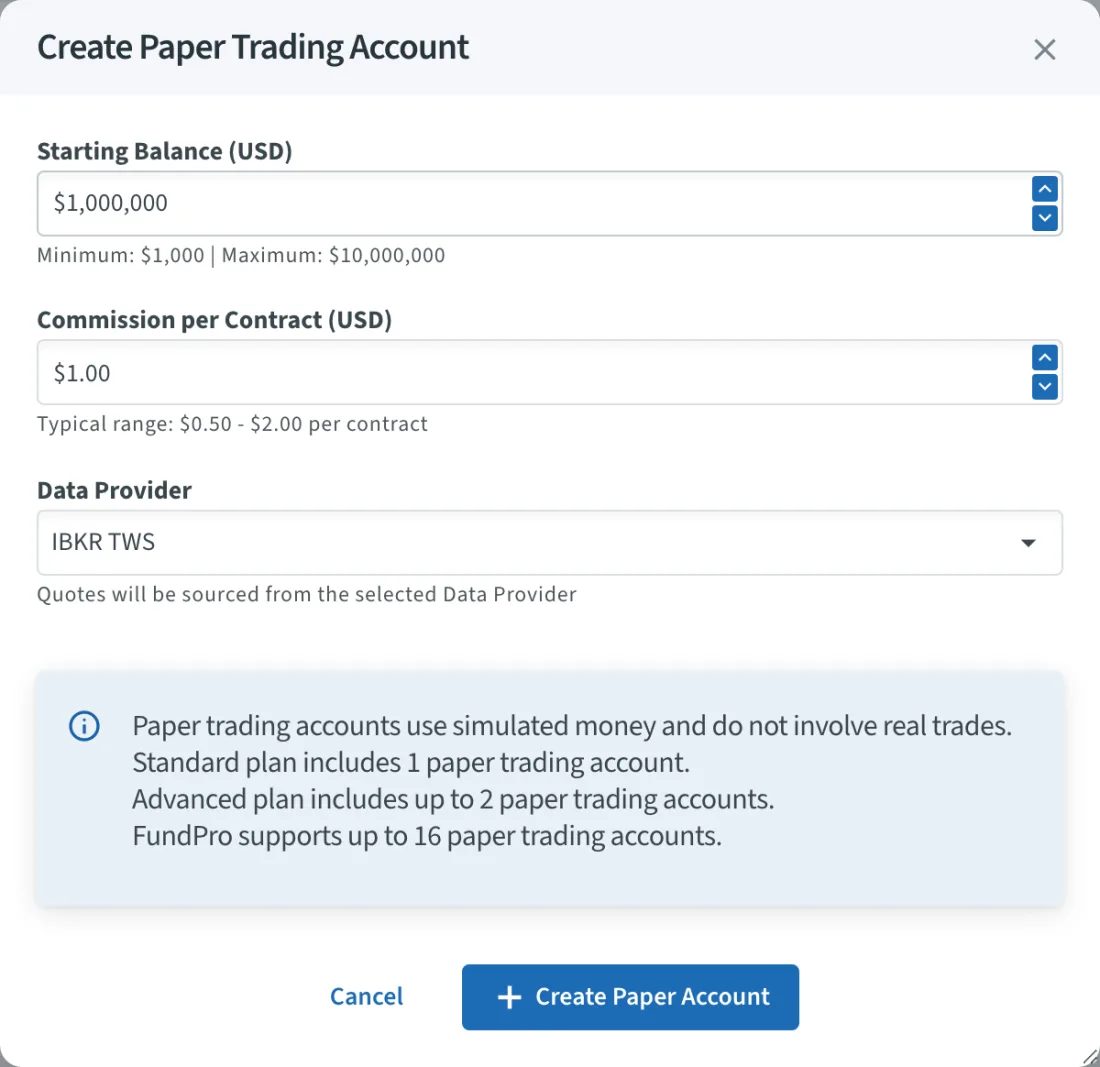
The dialog shows how many paper accounts your plan allows.
Trade on a paper account
Choose the paper account when you build a position. On the Price & send step the button reads Paper Trade. It opens Set Fill Prices for Paper Trade, where you set each leg's fill price and commission. MesoLive books the fills at those prices.
Paper orders are filled at once. They can't be changed or cancelled.
Details: Paper Trading.