Paper Trading
Overview
Paper Trading lets you run the full MesoLive workflow using a virtual account, while still using real-time market data from your connected provider (IBKR and/or TastyTrade).
It’s the safest way to:
- validate your Agent setup
- practice the deploy → build → execute → monitor → adjust/exit lifecycle
- benchmark a new Strategy Definition before using a live account
- use MesoLive with a broker that doesn’t have a direct integration yet (manual order entry)
Paper vs live trading
- Paper Trading uses the same build and monitoring pipeline as live trading.
- The key difference is execution:
- Live: orders are routed to the broker integration and fills are tracked from the broker.
- Paper: you enter fill prices manually during the Paper Trade step.
- Commissions for paper trades are taken from the paper account settings.
Create and manage Paper Accounts
Paper accounts are created and managed in the Paper Trading page.
Standard includes one paper account; Advanced includes two. See Accounts and Access for current plan entitlements.
Prerequisites
- A connected Agent with at least one market-data provider (IBKR and/or TastyTrade)
Paper accounts source quotes from the selected provider. If no providers are connected, paper accounts can’t be created.
Create a paper account
- Open More → Paper Trading.
- Click Create Paper Account.
- Configure:
- Starting Balance
- Commission per contract
- Data Provider (only providers with an active Agent connection are offered)
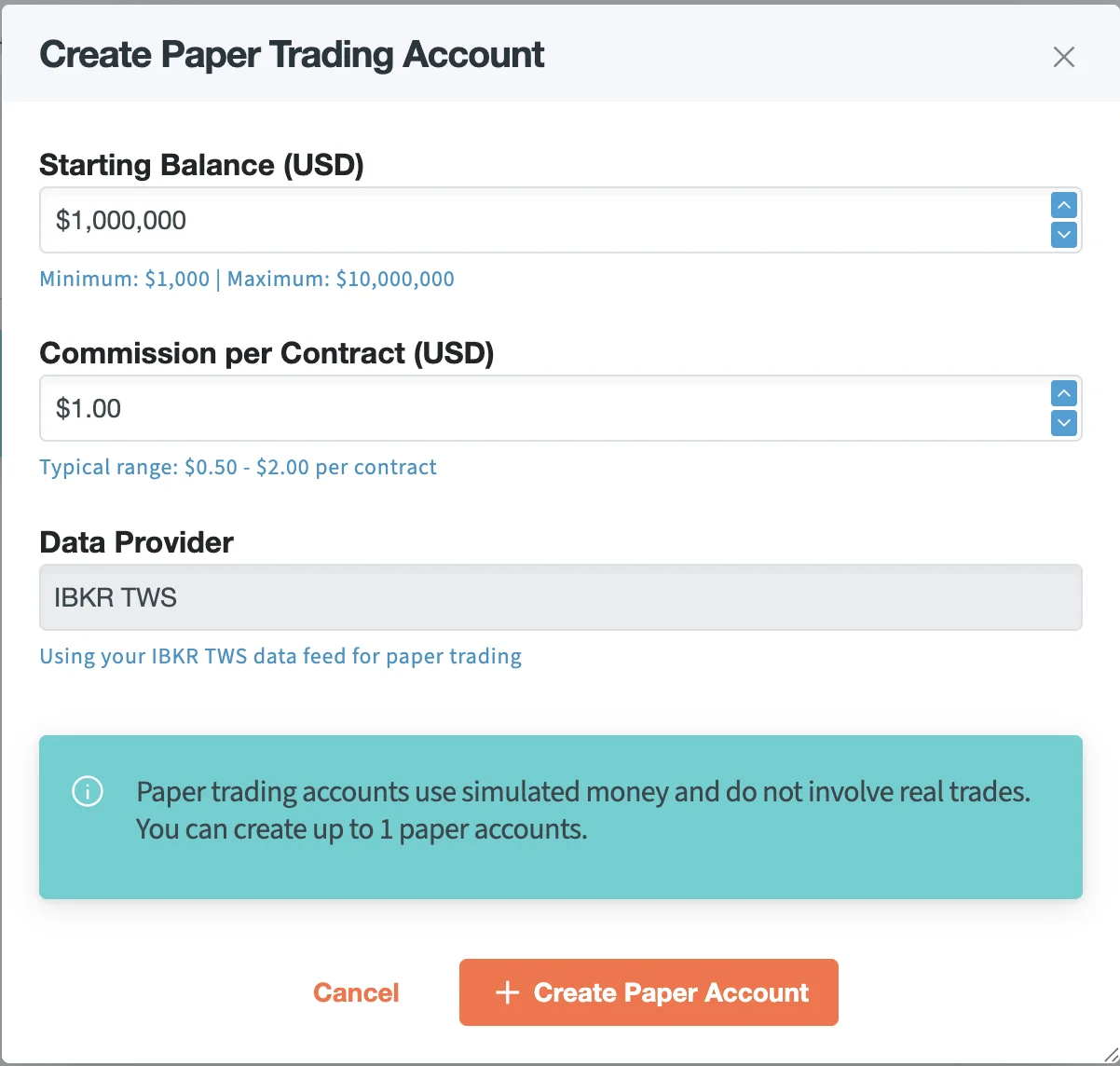
Manage existing paper accounts
Each paper account appears as a card with balance/NAV and the selected data provider.
Click Settings on an account to:
- update commission and data provider
- reset account: closes all open paper positions and resets the cash balance (cannot be undone)
- delete account: permanently removes the paper account and its history (cannot be undone)
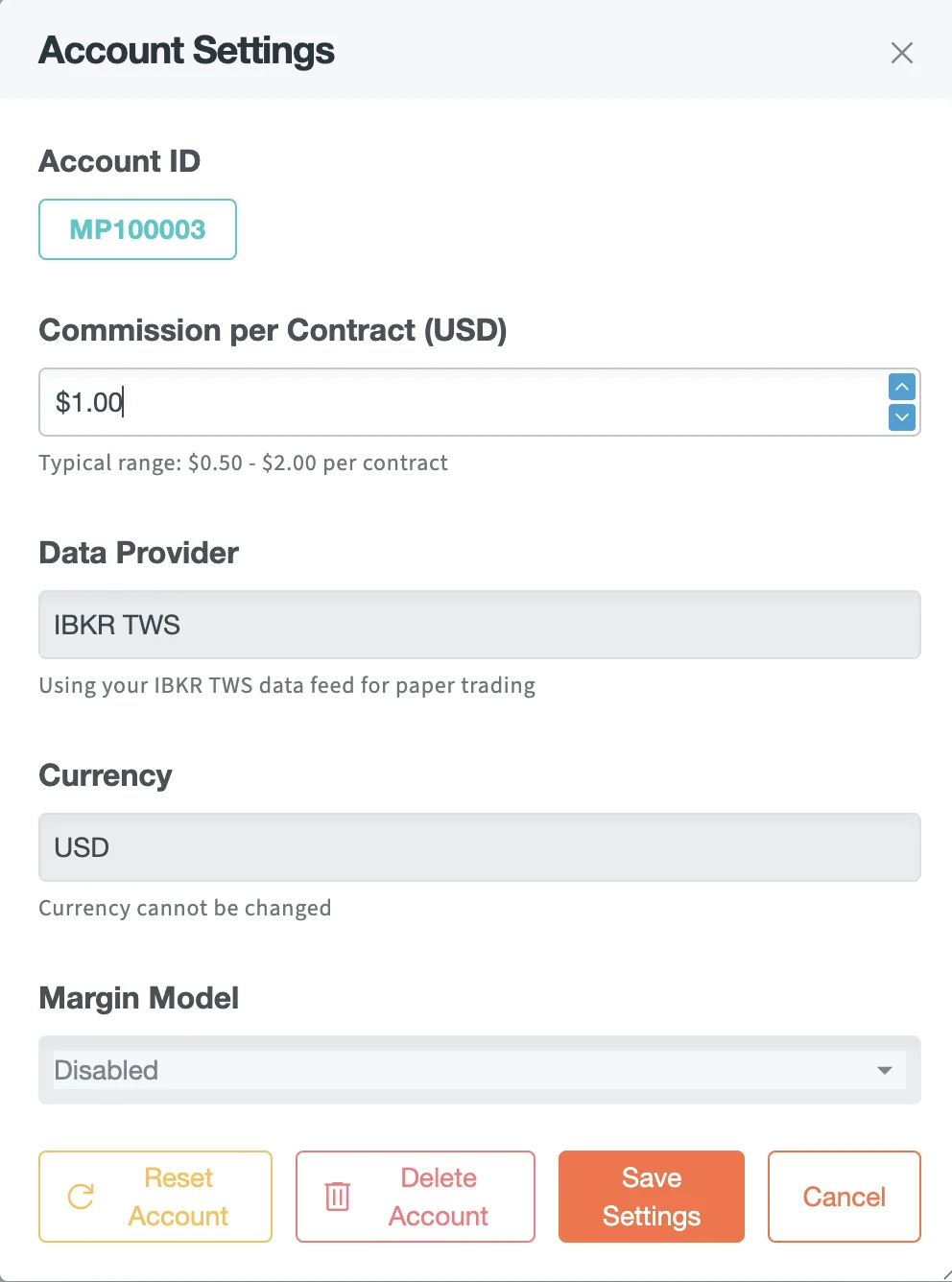
Run the paper workflow
The workflow is identical to live trading except for account selection and fill entry:
- Deploy/import your strategy: Deploy Strategy
- Start the entry flow: Create and Adjust Positions
- Select your paper account instead of a live brokerage account
- Build → submit as usual
- In the final step, enter fill prices for each leg and commit the paper execution
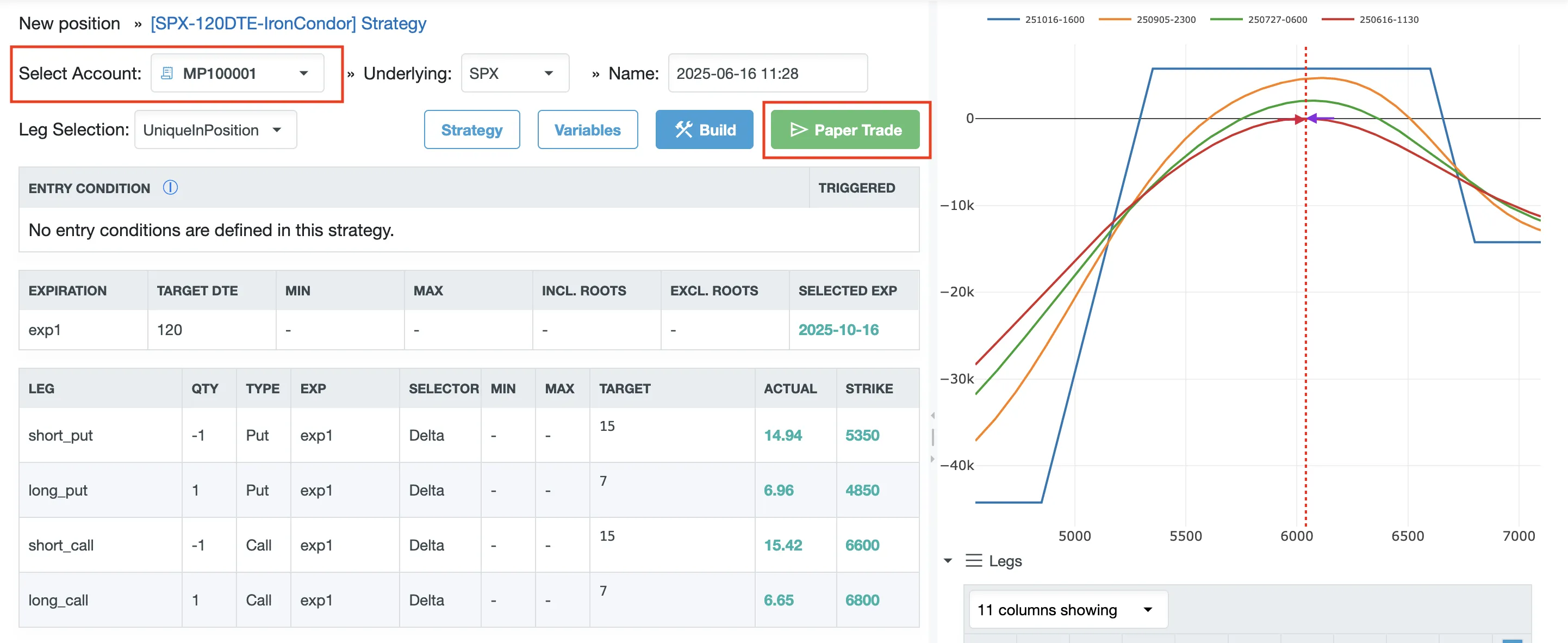
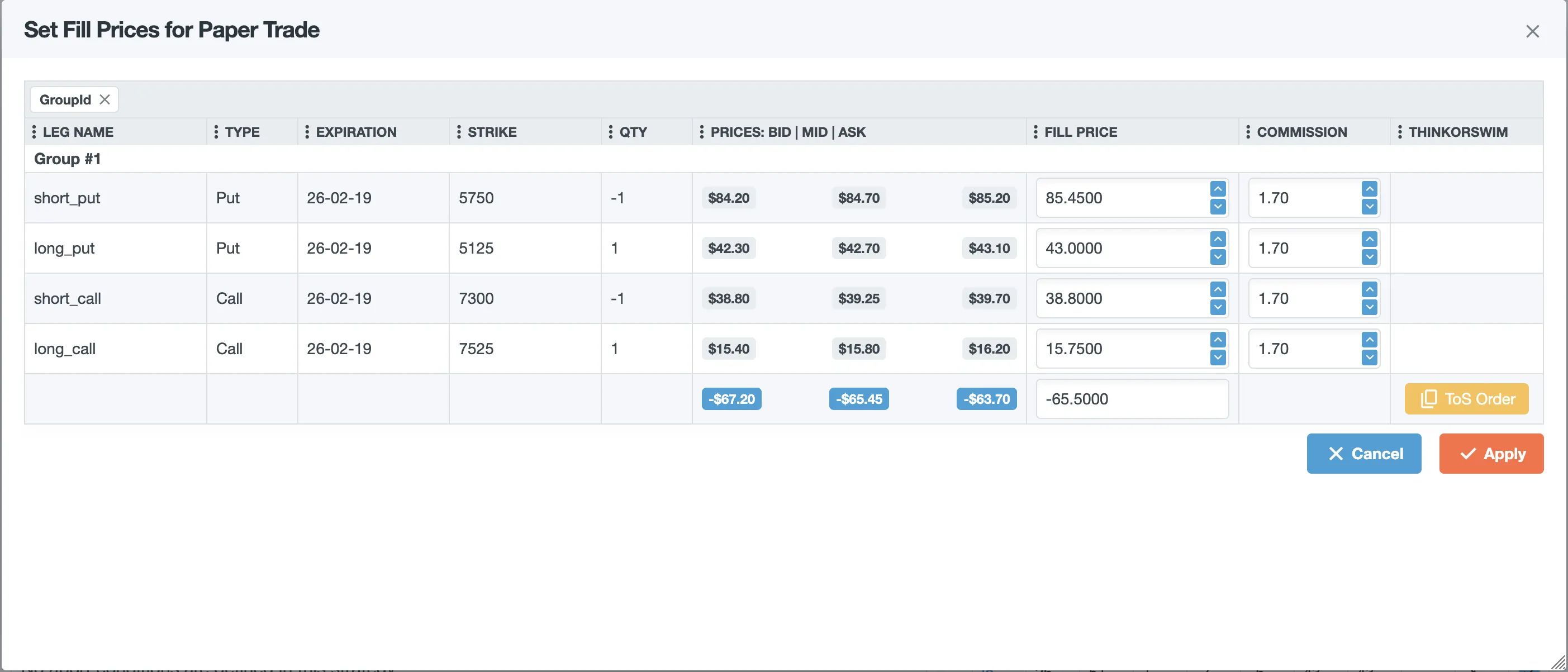
See also: Order Execution
ThinkorSwim (Schwab) order strings
If you place orders manually in ThinkorSwim, use the ToS Order action in the Paper Trade execution step to copy a ThinkorSwim-formatted order string.
See: Schwab / Thinkorswim.
Monitoring and management
Paper positions appear alongside live positions with clear account identification. Monitoring, adjustments, and liquidation are the same:
- real-time PnL + greeks tracking
- adjustments (add/remove/move legs)
- liquidation workflows
Troubleshooting
- No paper accounts / can’t create one: confirm at least one data provider is connected in the Agent (IBKR and/or TastyTrade): Troubleshooting → Agent
- Prices/greeks look stale: validate quote freshness: Data Explorer