Tradier
MesoLive supports Tradier brokerage accounts through the MesoLive Agent. With a Tradier connection MesoLive reads your accounts, balances and positions, streams quotes, and sends, changes and cancels your orders.
Prerequisites
- A Tradier brokerage account
- An access token from your Tradier account's API settings
- MesoLive Agent 3.0 or later
Get your access token
- Sign in to your Tradier account on Tradier's website.
- Open the account's API settings (API Access).
- Copy the access token of your brokerage account.
Use the token of your real brokerage account. A sandbox token does not work with MesoLive.
Anyone who has the token can trade your account. Paste it only into the MesoLive Agent. The token stays on your computer: the agent does not send it to MesoLive. If the token leaks, create a new one at Tradier.
Add Tradier in the agent
Agent app (Windows, macOS)
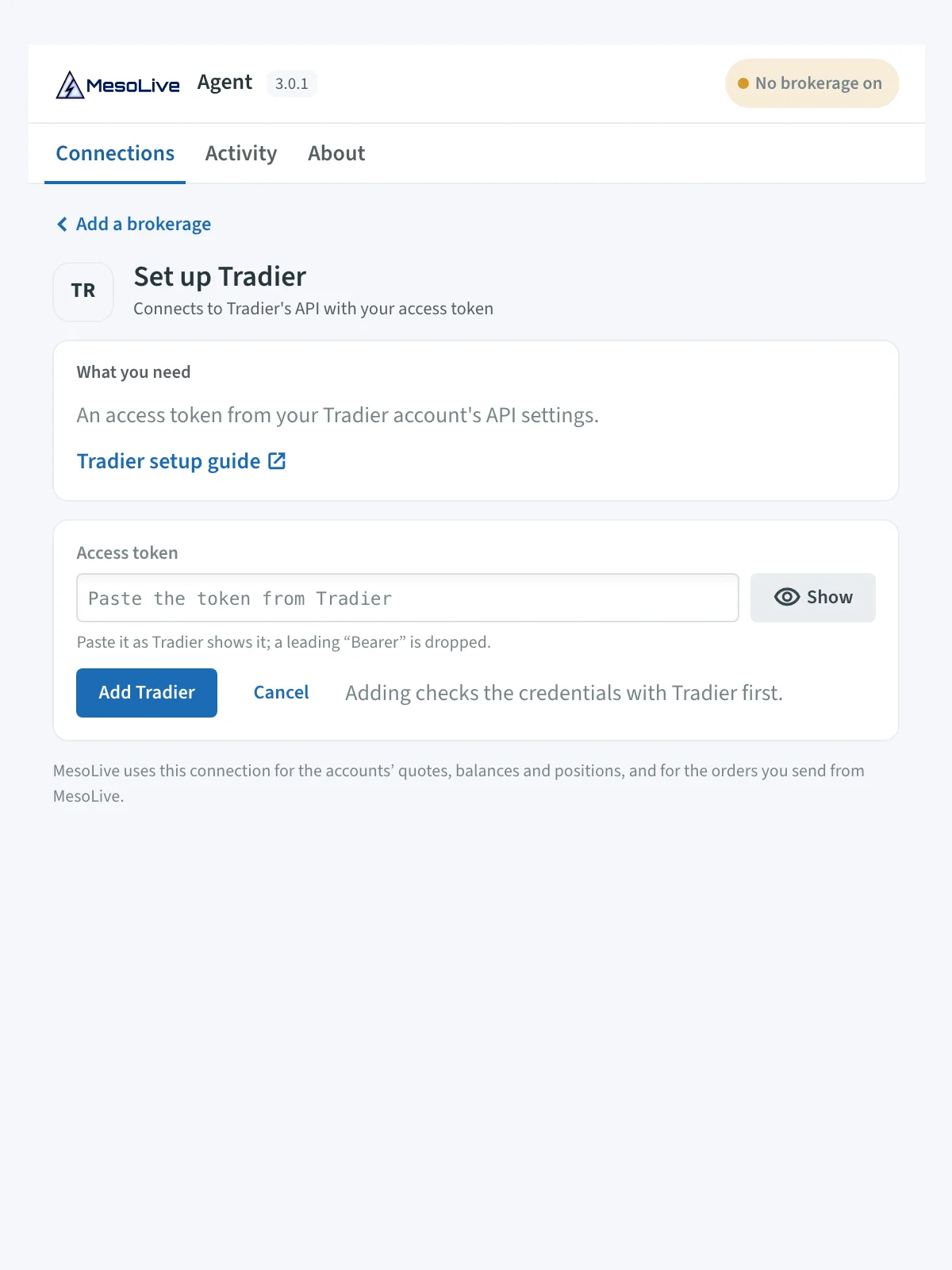
- Open the MesoLive Agent. On the Connections tab click Add brokerage.
- Choose Tradier and click Set up.
- Paste the token into Access token. If you copied it with a leading
Bearer, the agent drops it. - Click Add Tradier. The agent checks the token with Tradier first. If Tradier refuses it, nothing is saved.
The Tradier card on Connections turns Connected and lists your Tradier accounts. See Agent Setup - GUI for the other screens.
Command-line agent (Docker)
Pass the token with --tradier-token, or set MESOLIVE_TRADIER_TOKEN:
docker run -d --restart unless-stopped --name mesolive-agent \
  -e ACCEPT_LICENSE=yes \
  -e MESOLIVE_AGENT_KEY=eyJra...R4GA \
  -e MESOLIVE_TRADIER_TOKEN=YOUR_TRADIER_TOKEN \
  deltarayio/mesolive-agent:3.0.2
--no-tradier turns Tradier off even when a token is set. See Agent Setup - CLI.
Validation
- In the agent, the Tradier card shows Connected, your accounts, and the age of the last quotes and positions.
- In MesoLive, your Tradier accounts appear on the Accounts page shortly after the agent connects, and the Agents page lists Tradier under your computer.
What works on Tradier accounts
| Feature | Tradier |
|---|---|
| Accounts, balances, positions | Yes |
| Quotes, risk graphs, greeks | Yes. Tradier's quotes carry no greeks, so MesoLive calculates IV and greeks from the option quotes. |
| New positions with strike selection | Yes, with Agent 3.0 or later |
| Send, change (limit, time in force) and cancel orders | Yes |
| Legs in one order | At most 4 |
| Quote source for MesoLive paper accounts | Yes |
Limitations
- Index options need an IBKR or TastyTrade connection. To enter index options such as SPX or RUT on a Tradier account, MesoLive prices the index from an IBKR or TastyTrade connection. Connect one of them in an agent. Options on stocks and ETFs (for example SPY or QQQ) need only Tradier.
- Leg selection. The
FullyUniqueleg selection constraint is not available on Tradier accounts. UseUniqueInPosition. - At most 4 legs in one order. Split larger structures into more order groups on the Leg groups step. See Order execution.
- No stop orders for combos. Tradier does not take stop or stop-limit orders for multi-leg orders. Use limit orders.
- Orders go live at once. Send places the order at Tradier immediately.
Troubleshooting
- Token rejected in the agent: Tradier refused the token, for example because it was replaced or revoked. Copy a new token from Tradier and click Replace on the token field.
- No accounts in MesoLive: check that the Tradier card in the agent is Connected, then wait a minute and reload the Accounts page.
- "Tradier accounts select strikes on the portal …" when you build a position: read the end of the message. It tells you to update the agent, to choose
UniqueInPosition, or to connect IBKR or TastyTrade for index options.
See also: Troubleshooting → Agent.