Liquidate Positions
Once the Position triggers any of the Exit Conditions defined in the Strategy Definition, a signal will be generated. The user can start the liquidation process using the Liquidate button on the Position Details page.

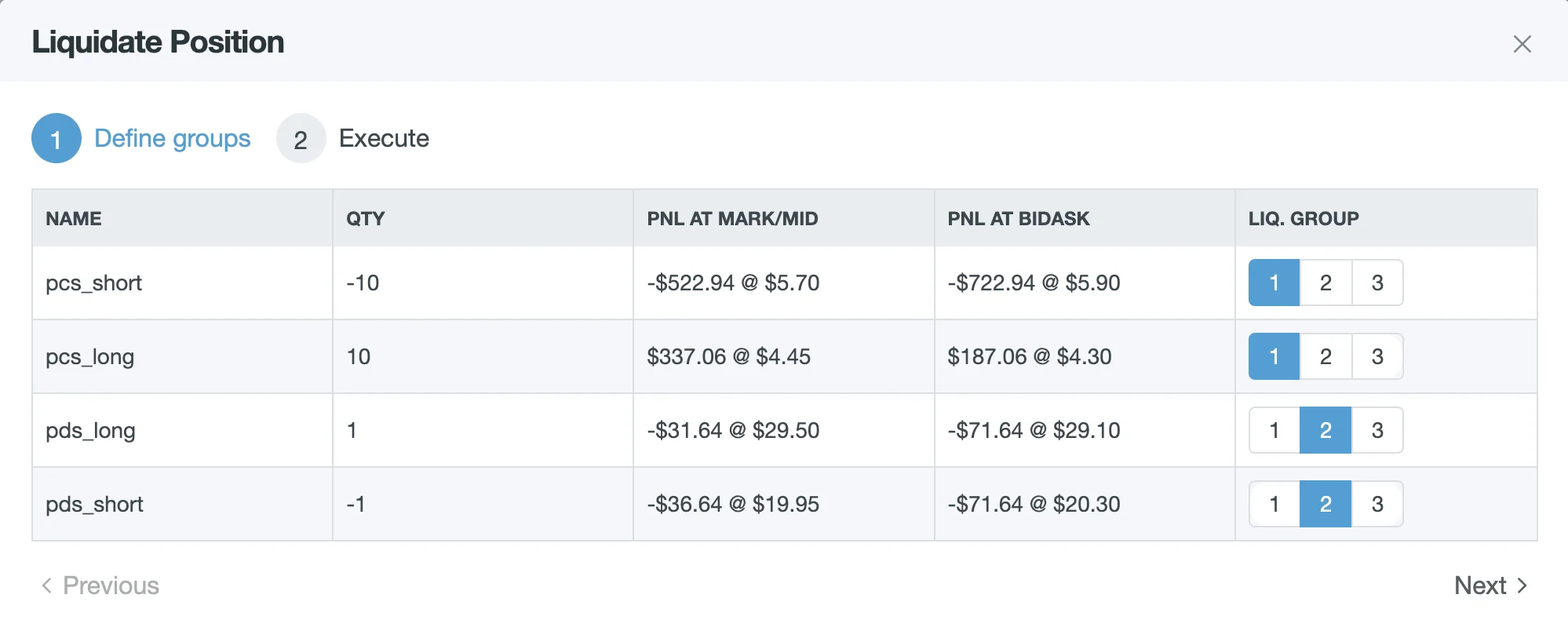
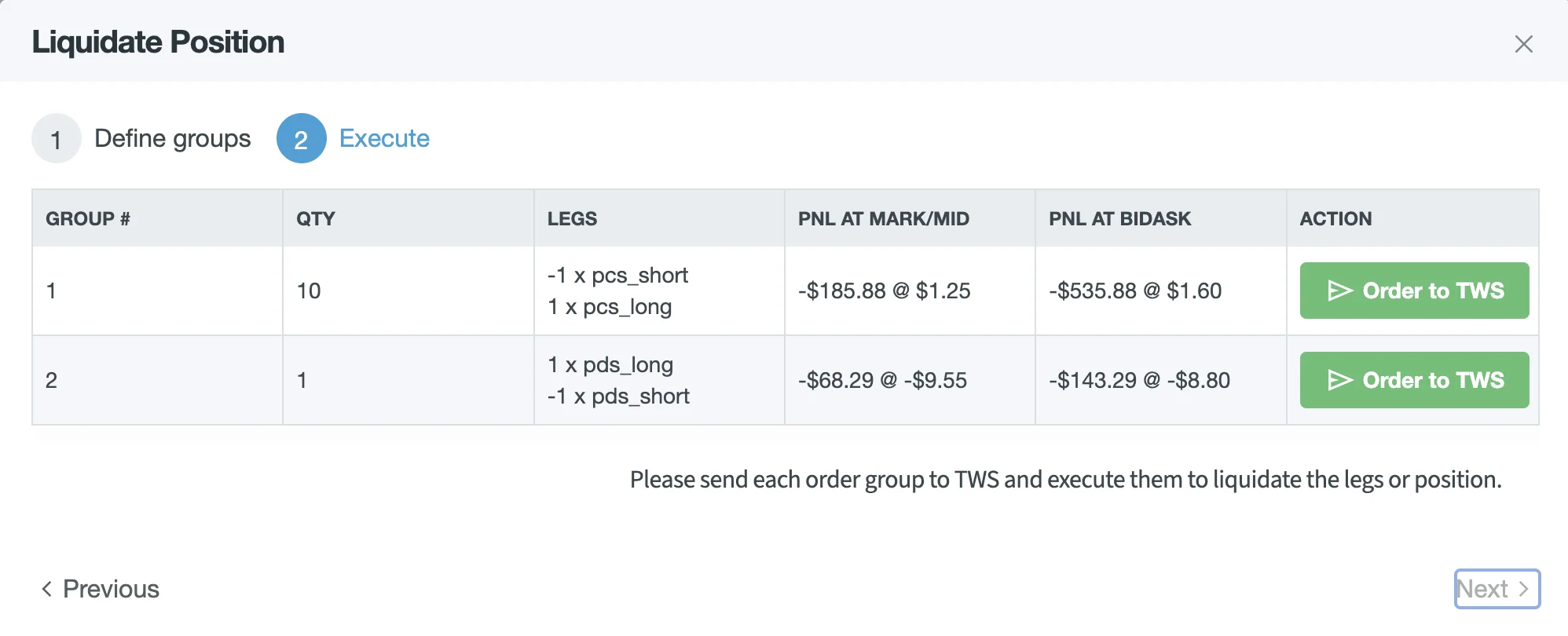
During liquidation, Order Groups must be selected, and the respective Orders must be sent to the Brokerage.
Order Execution
Similarly to Entry, the Order Execution is done by the user: The Order Details needs to be filled out and order must be “Transmitted” to become active on the exchange.
Remove legs adjustments
RemoveLegsAdjustment uses the same liquidation workflow, but scoped to the leg names specified in the Strategy Definition.
You start it from the Signals dialog on the position page.