Monitor Strategies and Underlyings
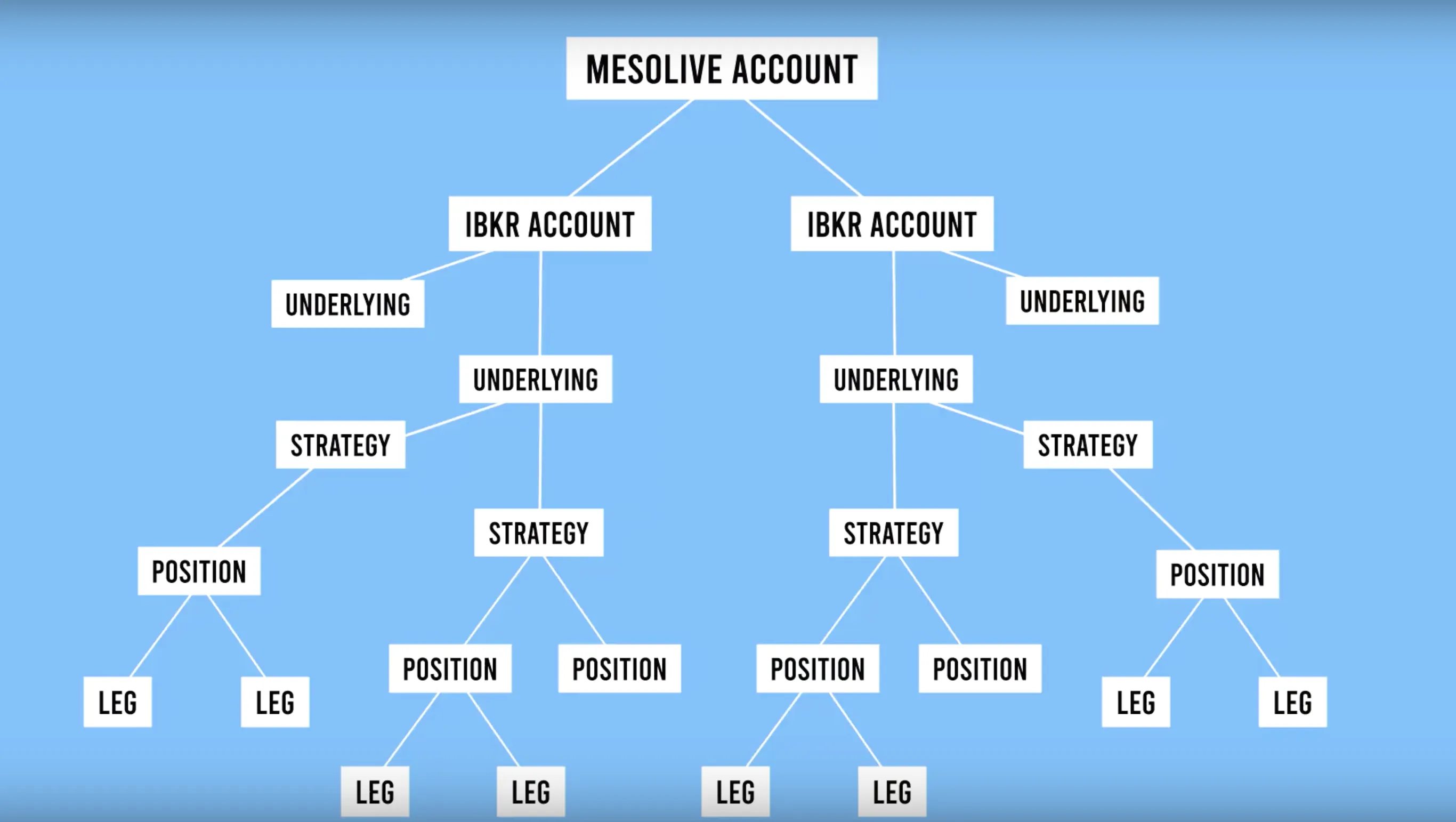
To gain a complete picture of the portfolio, MesoLive provides two complementary rollups:
- Strategy/Underlying rollup: exposure grouped by strategy for a specific underlying (Strategies → Strategy Details)
- Underlying rollup: exposure grouped only by underlying across strategies (Underlyings → Underlying Details)
Strategies page
The Strategies page is optimized for monitoring strategy-level aggregated risk graphs, with filters saved in your browser. It lists all the strategies that have positions, grouped by underlying, and provides controls for filtering and cycling through them.
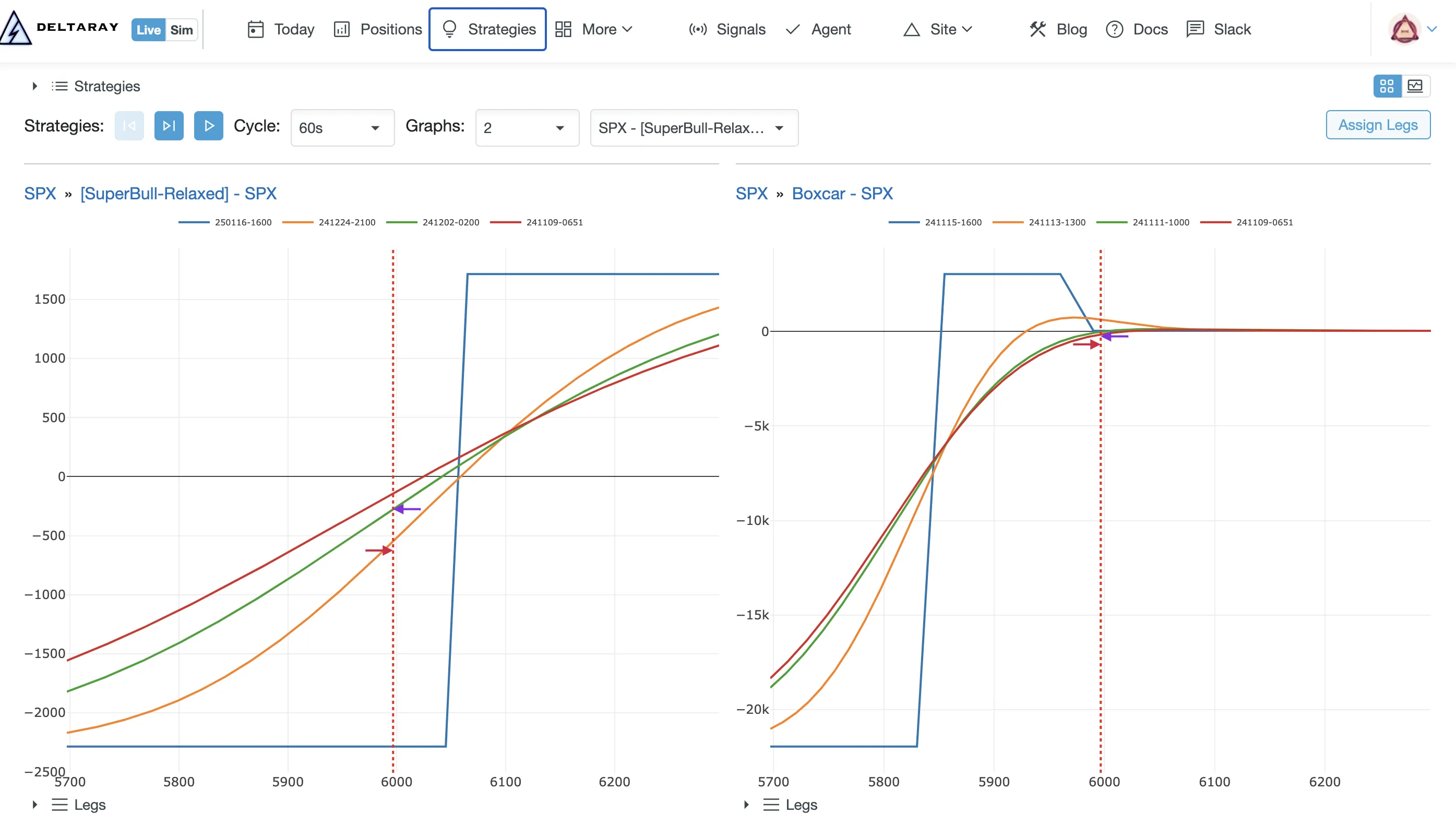
Available actions on this page:
- Open Strategy Details for a specific strategy + underlying
- Use Play/Stop + Cycle to auto-cycle across strategy graphs
- Use Visible Accounts and Visible Strategies filters to narrow the dashboard
- If Assign Legs is blinking, repair tracking: Position Tracking → Legs
Video tutorial
Strategy Details page
The Strategy Details page provides a deep dive into a single strategy/underlying combination, showing aggregated risk graphs and greeks over time, along with the strategy calendar (positions + schedule windows) and the PnL accumulated over time.
A new position can be started from the page by clicking the Add Position button.
- URL pattern:
https://mesolive.io/strategies/{StrategyId}/{UnderlyingId}
Video tutorial
Underlyings page
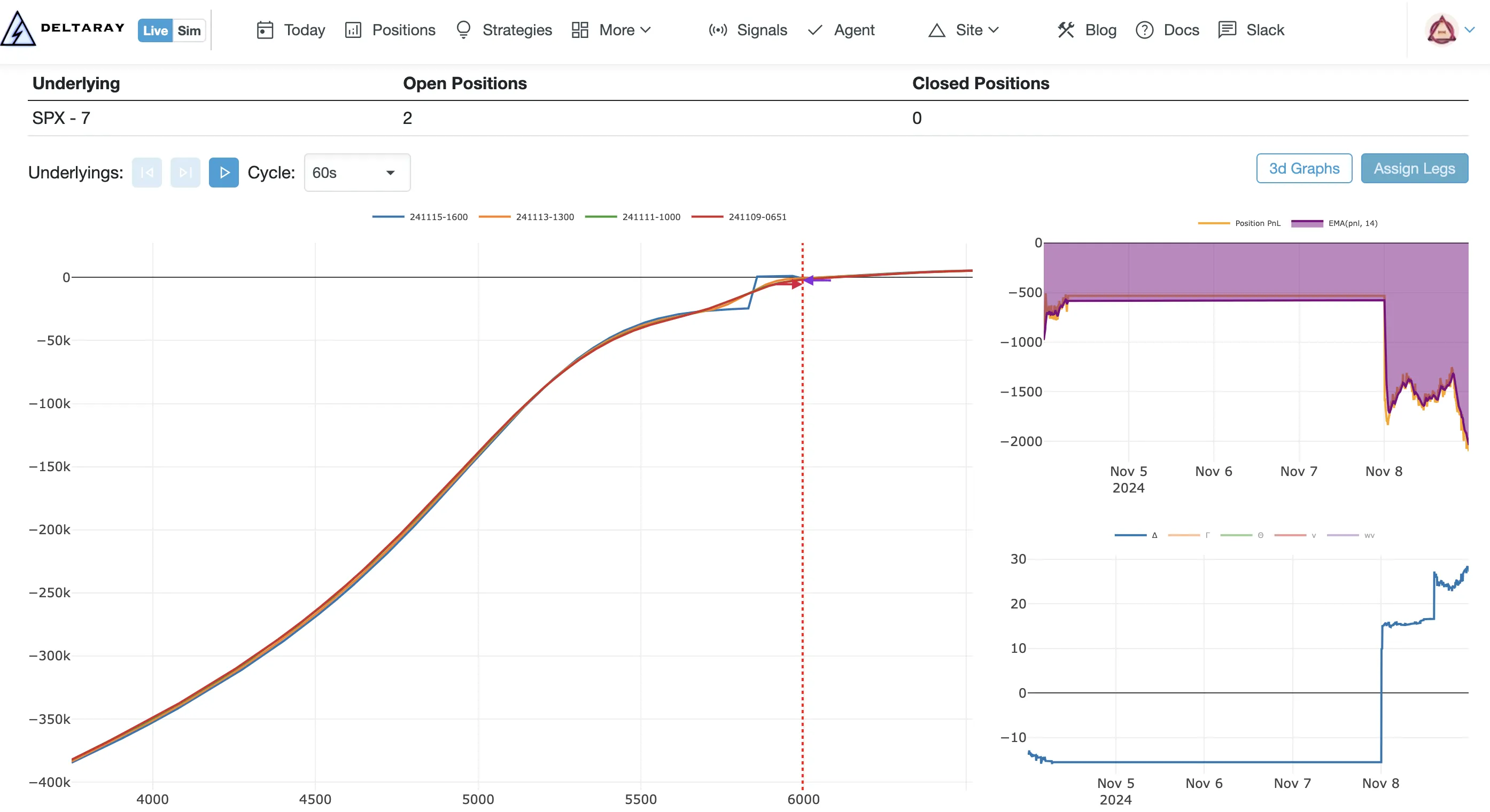
Use the Underlyings page when you want a symbol-first view of portfolio exposure:
- aggregated risk graphs by underlying
- account filters and TV-mode cycling
- quick jump into Underlying Details
Video tutorial
Underlying Details
Use Underlying Details page to:
- inspect aggregated risk and exposure time series across all strategies for that symbol
- open 3D Graphs (if available) for a deeper view: Risk Graphs
URL pattern: https://mesolive.io/underlyings/{UnderlyingId}
Troubleshooting
- Graphs stale/blank: start with Troubleshooting → Agent, then inspect Data Explorer
- Unexpected exposure: verify leg grouping: Position Tracking → Legs and audit in Troubleshooting → Events
The layout of Strategies, Strategy Details, Underlyings and Underlying Details are matching the Position and Position Details pages’ layout.